Allow for a centred stroke in visible bounds
A path's geometric width can be smaller than its painted frame.
A stroke centred on a path extends to both sides of it. Path width and painted width therefore differ. This example uses an axis-aligned rectangle without transformations, shadows or markers. Other alignment and effects require their own bounds check; do not transfer the calculation automatically.
What to do
- Check path width, stroke thickness and specifically the centred alignment.
- Halve the thickness and add that outward extension on each side.
- Leave space beyond both edges, then inspect the exported copy's boundaries.
Example
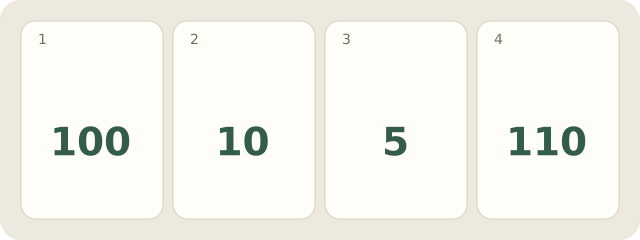
Fictional frame: a 100-pixel-wide path has a centred 10-pixel stroke. Each side extends outward by 5, so visible width is 100+5+5=110 pixels. A canvas fitted exactly to the 100-pixel path clips the extensions. Allow space on both sides, not only the right.
My Day · Windows
My Day can store dimensions and the export check. You calculate the geometry.