Separate earliest start, deadline and your plan
Label the roles of dates so an earliest start does not become a completion deadline.
An assignment may specify both a restriction on starting and a completion deadline. Your chosen workday has another role. Record them separately: permission to start does not require finishing that day, and your own plan does not change the agreed boundary.
What to do
- Identify the action and label the earliest day on which it may start.
- Record the latest completion day, clarifying whether that day is included.
- Choose a workday within the window and keep it separate from the agreed conditions.
Example
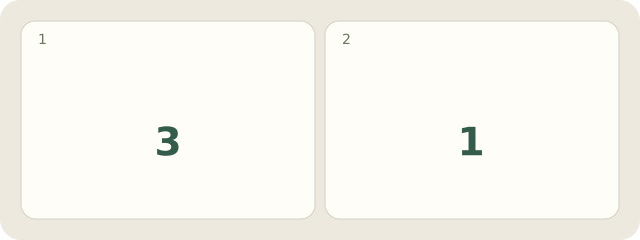
Fictional example: proofreading may start no earlier than Wednesday and must finish by Friday's end. The window names 3 days: Wednesday, Thursday and Friday. The author chooses 1 day, Thursday. The note says “Earliest Wednesday; finished by Friday's end; my plan Thursday”.
My Day · Windows
In My Day, manually keep both boundaries and your own plan as text in the task note.