Keep a fixed result separate from a copied formula
Save a constant snapshot while retaining the working source formula.
Cells can look identical while holding a constant or a calculated expression. If a fixed review result is requested, transfer the value. Preserve the working source: appearance alone does not establish what the destination cell contains.
What to do
- Confirm that a fixed snapshot is required and label its source version.
- Use Excel's value-paste option in a separate copy, retaining the source formula.
- Inspect the destination content and the working source formula separately.
Example
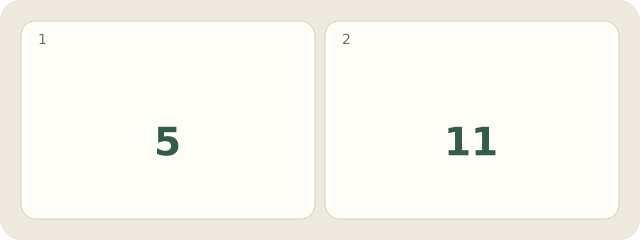
Fictionally, S/v1 has A1=2, B1=3 and C1 containing =A1+B1, displaying 5. Snapshot R1 stores constant 5, labelled source S/v1. If the source is later hypothetically recalculated with A1=8, its formula gives 11; the snapshot remains 5. This selects content, not a rounding format.
My Day · Windows
Manually save this personal record in My Day.