Place a photo scale in the object's plane
A visible ruler alone does not establish an object's size.
For a photograph of a flat craft piece, place a known-length scale in the piece's plane. Different heights can distort a pixel comparison. A shared plane helps but does not guarantee exact measurements: camera position, perspective and distortion also matter.
What to do
- Record where the piece and scale sit and whether their planes are comparable.
- Prepare another photograph with a shared plane and record the camera's position relative to it.
- Keep the shooting conditions; do not derive an exact size from the earlier unverified photograph.
Example
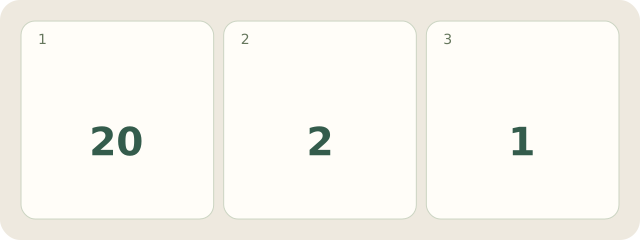
Fictional paper piece: on a stand, with a 20 mm scale segment below on the table: 2 planes. Remove the stand for 1 common plane; aim the camera perpendicular to it. The first photograph establishes no size; the second still needs distortion checks.
My Day · Windows
My Day can store conditions and a reshoot task. It does not measure photographs.