Prepare local materials before studying without a connection
Check specific files beforehand rather than relying on a list of links.
A link in a plan does not guarantee offline access. Choose a small study result and check the required files in their own applications beforehand, following the source's access conditions.
What to do
- List materials for the exercise and separate permitted local copies from content that requires a connection or personal sign-in to the service.
- Open the permitted copies without a connection and check the needed pages; a downloaded filename is not proof that its contents are complete.
- Record available work and questions deferred until connected; save the list and the actual prepared materials in a clear location before leaving.
Example
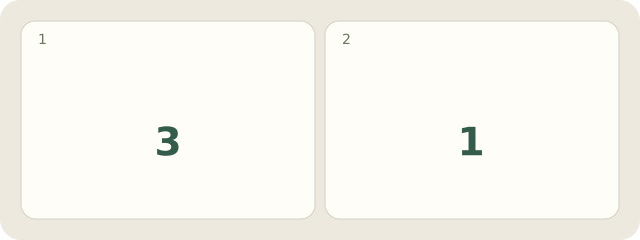
Fictional example: of Rita's 4 materials, 3 local files open and 1 interactive exercise needs a connection. She leaves it for another session.
My Day · Windows
In My Day, save tasks and a text list. Internet is needed for licence checks and updates; check actual files separately.