Record two page references for one PDF passage
Distinguish a printed page number from its position in a particular file.
A page's printed number and its position in a PDF can differ. Keep both with the file identity and a heading. The viewer's number may itself be a configured label, so first establish what it represents.
What to do
- Identify the exact file and read the printed number on the page containing your passage.
- Check that page's sequential position in the file, distinguishing it from a configured viewer label.
- Save both references and a heading, then use the note to find the same passage again.
Example
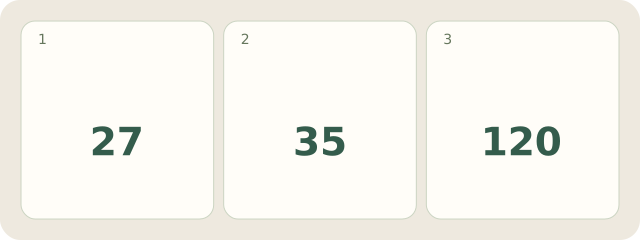
Fictional Study-A has 120 pages. Position 35 contains “Supports”, printed page 27. Note: “Study-A, Supports: printed p. 27; position 35 of 120”. It leads back to the passage. Do not automatically apply the difference to appendices or another edition.
My Day · Windows
My Day can hold these manually entered references in a study note.