Connect pixel dimensions with physical print size
Calculate print width while keeping pixel count separate from density.
Pixel width describes the digital file; width on paper depends on the selected density. PPI means pixels per inch, distinct from a printer's dots per inch. Divide pixel count by PPI, keeping units visible. Changing that setting without resampling does not create new image detail.
What to do
- Record the source width in pixels and the intended width on paper.
- Calculate the corresponding density and check whether resampling is enabled in your editor.
- Make a trial print at the chosen size and assess it for your purpose.
Example
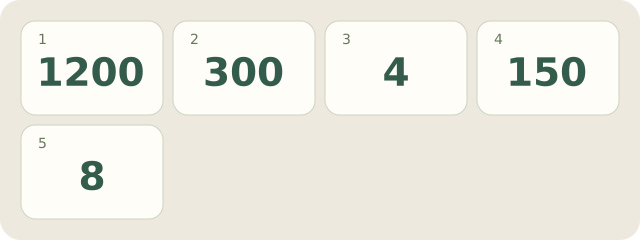
Fictional postcard: width is 1200 pixels. At 300 PPI, 1200/300=4 inches; at 150 PPI, it is 8 inches. The pixel array is unchanged; actual print quality remains to be checked. Here 300 is not a universal requirement.
My Day · Windows
My Day can hold your calculation and a trial-print task. You inspect the image yourself.