Separate print bleed from the trim boundary
Distinguish the finished postcard from background extending beyond its edge.
The trim boundary marks the finished item's edge. Bleed is background extending beyond that edge and removed afterwards. It does not enlarge the finished postcard and is unsuitable for an important heading. Check bleed and text placement with your chosen print service; no single distance suits every job.
What to do
- Draw the finished format and label its future trim boundary separately.
- Check print requirements, extend the background outward and place essential text inside with the required inset.
- Verify the artwork's outer dimensions and labelled regions before handing over the file.
Example
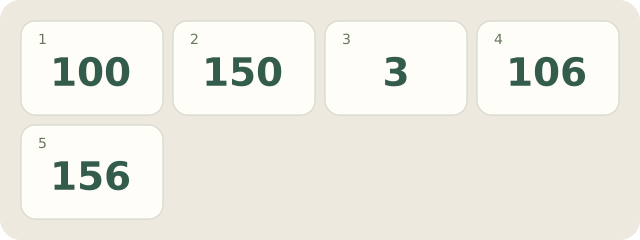
Fictional layout: finished size 100×150 mm with an assumed 3 mm bleed on every side gives 106×156 mm: 100+2×3 and 150+2×3. The heading stays within the finished format. This 3 mm belongs only to the example.
My Day · Windows
My Day can store dimensions and print questions. Check the artwork in your graphics editor.