MEET THE INDICATOR
The meaning behind the numbers.
SW Combo is a separate indicator based on the Combo approach described in Tom DeMark's work. Its appearance will be familiar to Sequential users, but the conditions for counting bars and the way the sequence develops are different. Matching stage names therefore do not mean identical labels on the chart.
- Version I and Version II
- Three ready-made calculation profiles
- A clear “13 only” default display
- Independent colours and a table at the bottom right
How Combo differs from Sequential
Combo uses a combination of several price conditions to form its count. It can count bars within the initial Setup, rather than only after Setup is complete. Combo and Sequential completions can therefore appear at different points even on the same instrument and timeframe.
The early Combo numbers become known after a qualifying Setup is confirmed. On a historical chart, they may be placed on earlier bars. This matters when reading history: the position of a number and the moment when the completed structure became known do not always coincide.
Two counting versions
In Version I, all four conditions remain in force through the final number. In Version II, numbers 11–13 use a simplified comparison with the previous counted price. These options let you study differences between the rules, rather than select a “more profitable” result in hindsight.
The ready-made profiles include DeMark 1997, Perl 2008 — text, and Perl / Bloomberg 2008. The default is DeMark 1997, Version I. If you change the rules manually, treat the result as your own calculation variant.
How to read a 13 label
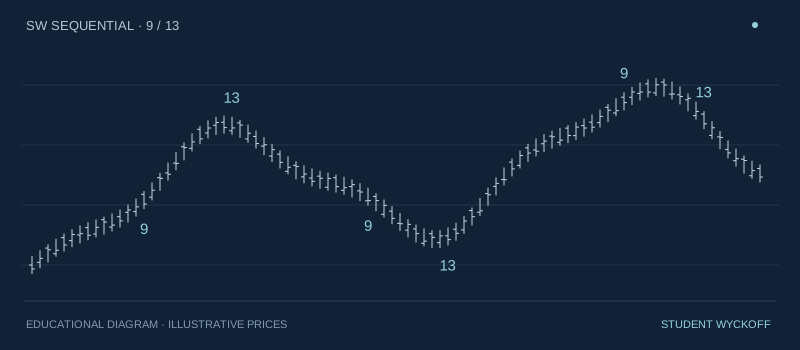
Thirteen means that the sequence has met the conditions of the selected profile. It is a reason to look more closely at price behaviour: whether it holds the area, whether a reaction develops, or whether the previous move continues. The label does not promise a reversal and is not a standalone instruction to trade.
Only 13 labels are shown by default. Additional Risk and Perfection lines, 9‑13‑9, histograms and the timeframe table are switched off. You can enable them in the settings when you need more context. Combo has its own colour scheme for use alongside Sequential.
The histogram and other timeframes
A separate pane offers two tracks: Setup and Combo Countdown. The height of each bar shows the current number. A completed stage is highlighted separately; a state that persists between counted bars should not be mistaken for a new event.
The table for other timeframes is positioned at the bottom right by default and is enabled manually. This is convenient when Sequential is also used on the chart. The numbers in the table refer to their own timeframes, not to the current bar on the main chart.
From the first launch to detailed analysis
Start with the default “13 only” display. Then compare Version I and Version II over the same section and study which conditions affect completion. Other display options let you show only 9, 9 and 13, 9‑13‑9, or the full count.
Manual settings cover cancellations, repeated sequences, levels, the reaction after completion and alerts. Rules specific to Sequential, such as Aggressive or comparing 13 with 8, should not be transferred automatically to Combo: these are different implementations.
What you receive
Access to the indicator in your TradingView account for your chosen subscription period, calculation and display settings, and email support. Source code is not included in the subscription. You need your own TradingView account; any TradingView features or paid plan required for your chosen way of working are paid for separately.
The STUDENT WYCKOFF implementation is inspired by Tom DeMark's published work. Historical profile names identify the basis of the rules. This is an independently developed product.