Time blocks and plan versus actual: build a calendar and learn from the difference
A calendar block reserves an opportunity; an audit records what happened. Keep the two separate so an optimistic estimate does not become a false report. The following original examples show a day, a deadline and a short project. All figures are fictional teaching inputs, not claims that this schedule will suit everyone.
Build a bounded schedule after fixed commitments
List lessons, meetings, travel and shared responsibilities first. A block then needs a start, finish, specific result and material ready. Keep transition time. Our example uses a free morning for a small report; a student can replace the outputs with revision or an assignment. A teacher must fit the blocks around actual lessons, not copy the morning as free time.
The three work blocks total 120 minutes. The two 15-minute gaps add 30 minutes, so the whole planned window is 150 minutes. Do not call every minute in the window production time. If a new request arrives, decide what it replaces.
| Planned time | Work | Ready condition |
|---|---|---|
| 09:00–10:00 | Draft the report | An original answer and example exist |
| 10:00–10:15 | Transition / buffer | Materials ready for the next action |
| 10:15–10:45 | Check calculations | Reasoning and totals checked |
| 10:45–11:00 | Transition / buffer | Unfinished point recorded |
| 11:00–11:30 | Check references and deliver | Links work and receipt is confirmed |
| My block |
Download the worksheet · Build a bounded schedule after fixed commitments (SVG)
Plan backwards from an actual deadline
Suppose a file must be delivered by 15:00. Reserve delivery margin and the final check, then place drafting and source preparation before them. This is a dependency sequence, not a promise that unfamiliar work fits the first estimate. If the available afternoon is shorter, reduce scope or discuss the deadline before filling overlapping blocks.
| Time | Action | Dependency |
|---|---|---|
| 14:50–15:00 | Delivery margin | Checked file ready |
| 14:30–14:50 | Final file, source and requirement check | Draft complete |
| 13:30–14:30 | Write and revise the draft | Material selected |
| 13:00–13:30 | Prepare the needed sources | Question and requirements clear |
Use ordinary Google Calendar events for blocks
On a computer, open the week or day view, select an empty time, enter an action title and its start/end, then save. Use a title such as “Draft the comparison” rather than “be productive”. Check the calendar and time zone, and edit a block when the agreement changes. A personal work block does not need invited guests.
Ordinary events and the special Focus time type are different. Google limits Focus time to eligible work/school accounts; its automatic meeting-decline options should not be promised for every account. You can plan ordinary events without claiming those features.
- Put fixed commitments into the correct dates first.
- Create an event for the selected action and check both start and finish.
- Add the next block only where it really fits, including preparation and gaps.
- After work, preserve the actual result separately; moving an event is not proof of completion.
Record actual intervals and their causes
Observe a few ordinary days with start, finish, activity and result. Keep interruptions or waiting distinguishable from the work if they explain a mismatch. The fictional actual times below total 140 work minutes, plus the same 30 minutes of gaps. The actual window therefore ends at 11:50, 20 minutes after the planned 11:30 finish.
Use consistent categories and units. This is a personal learning log, not a payroll record or monitoring of another person. A delayed task can still produce a good result; investigate the cause before deciding what to change.
| Work | Planned minutes | Actual interval | Actual minutes | Observation |
|---|---|---|---|---|
| Draft | 60 | 09:00–10:15 | 75 | An example required clarification |
| Calculation check | 30 | 10:30–10:50 | 20 | Prepared data made the check shorter |
| References and delivery | 30 | 11:05–11:50 | 45 | One reference needed correction |
| Work total | 120 | 140 | Gaps excluded from both work totals | |
| My entry |
Calculate the difference with the right denominator
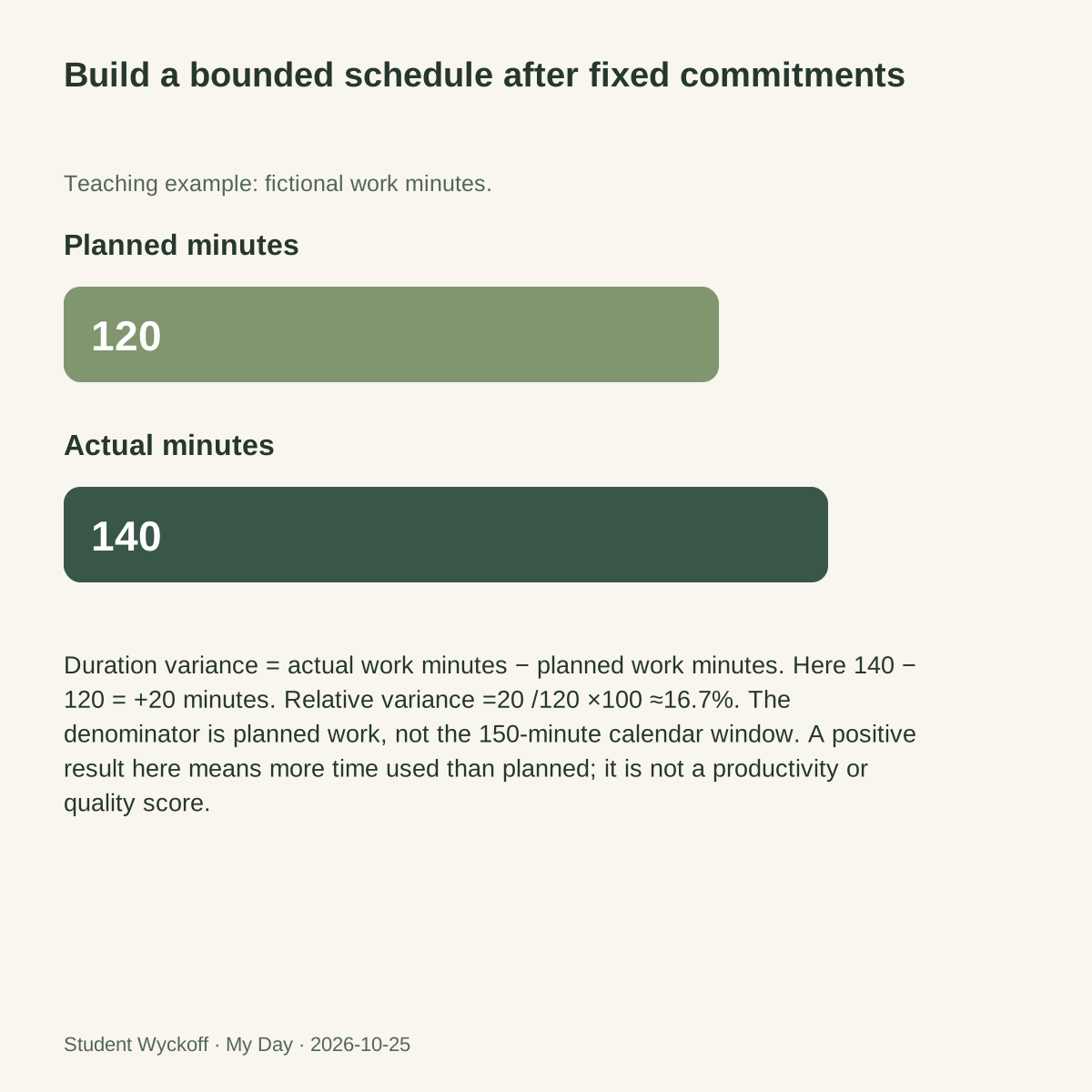
Duration variance = actual work minutes − planned work minutes. Here 140 −120 = +20 minutes. Relative variance =20 /120 ×100 ≈16.7%. The denominator is planned work, not the 150-minute calendar window. A positive result here means more time used than planned; it is not a productivity or quality score.
For the 20-minute check against a 30-minute estimate, the difference is−10 minutes and the relative difference is about−33.3%. Record why it was shorter instead of assuming faster is always better. If planned duration is zero, the percentage is undefined: report the absolute difference and fix the estimate. Compare like with like, especially when the scope changes.
Compare project dates separately from work effort
A timeline compares when stages should finish and when they actually finish. It is different from the number of minutes worked. In this original sequential example, a draft’s delay moves later dependent stages. The final handover is one workday late; adding all three repeated one-day date differences would incorrectly claim three days of independent project delay.
Use the actual working calendar and preserve both baselines when a plan is formally revised. Add an owner, dependency and next decision. A coloured chart without those facts can make an incomplete plan look reliable.
| Stage | Planned finish | Actual finish | Dependency / decision |
|---|---|---|---|
| Material ready | Day 1 | Day 1 | Question agreed |
| Draft | Day 2 | Day 3 | Required material; clarification needed |
| Review | Day 3 | Day 4 | Draft ready; reviewer agrees |
| Handover | Day 4 | Day 5 | Review resolved; confirm revised delivery |
| My stage |
Test usefulness and leave a clear restart point
Broader time-management research does not prove that this particular timetable works for every person. Try one suitable period, keep the work and compare the planning burden, interruptions and usable output. Change block size or method if maintaining the calendar becomes the main activity.
The Zeigarnik effect concerns memory for unfinished versus finished tasks; a 2025 synthesis did not find a universal unfinished-task advantage. A 2026 work-focused synthesis links unfinished work with more off-job work thoughts. These are different outcomes. In 2011 experiments, specific plans reduced task-related intrusions; this is not a promise that a planner resolves every worry.
A practical return note can simply say where you stopped, what is missing and which action becomes possible next. For our report, “reference unverified; check the publisher record before sending” is usable. “Finish everything tomorrow” is not. Choose the next date around actual commitments and revise the plan if the dependency remains blocked.
Questions and answers
Is a calendar event the same as a to-do item?
A task describes work; an event reserves time. A task may need several blocks, and an event still needs an outcome check.
Can time variance show that someone is productive?
It shows a difference from an estimate. Quality, scope, constraints and delivered results need separate evidence.
Keep estimated and actual work distinct in My Day
In My Day for Windows, record the planned interval in a task or note and the actual observation after the session. Keep the deliverable and next action with the project. Use an external calendar if you need calendar events; the diary’s manual workflow is not an automatic Google Calendar connection.
- Choose one available block and a visible output.
- Save actual time, result and cause of the difference.
- Review the next action or revised commitment.
Explore My Day for Windows ↗ · Full instructions for this action ↗