Apply a publisher's correction to a study note
Match the edition and exact location, then preserve the correction history.
A publisher's correction applies to a particular edition and location. Confirm that match before changing your working note. Preserve the earlier extract with an explanation: silent replacement hides the origin of the new wording.
What to do
- Match book, edition, page and figure against the publisher's own list of corrections.
- Read the precise correction and apply it to the corresponding passage in your note.
- Add the source and checking date, distinguishing the earlier extract from the corrected working version.
Example
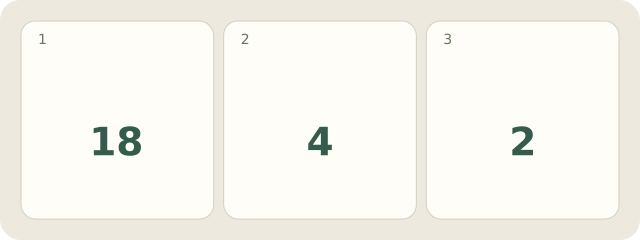
Fictional Edition-B, p. 18, figure 4: left “After”, right “Before”. Its fictional publisher requires swapping these 2 captions. The note becomes “left Before, right After”, retaining the earlier record and correction basis. This does not correct another edition or verify the whole book.
My Day · Windows
My Day can store both manually entered records and the reason for changing them.