Check text order after copying two columns
Compare copied line order with the source blocks.
Visible column order and copied text order can differ. Having every line does not establish its correct association. Check the copy against the declared layout rather than guessing how to redesign the source.
What to do
- Identify block headings and the intended reading order on the source page.
- Match each copied line to its block and position within that block.
- Save corrected records separately with an exact pointer to the source page.
Example
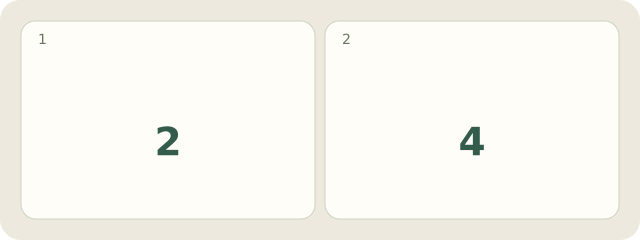
Fictional English handout, page 1: left A contains “Pack the cards.”, “Close box A.”; right B contains “Check the labels.”, “Close box B.” Read all A, then B. The copy gives A1,B1,A2,B2. Corrected: A:[A1,A2], B:[B1,B2], each labelled “Handout, p.1”. There are 2 blocks and 4 lines; no real PDF application was tested.
My Day · Windows
Save this note manually in My Day.